EasySwing vs TradingView Screener for Swing Traders
Mark Minervini's research, detailed in Trade Like a Stock Market Wizard (2013), found that over 70% of his winning trades from 1997–2007 showed a VCP-type consolidation before their breakout. Whether your screener detects that specific formation — ranks each result by quality, and surfaces it within the right market regime — is where TradingView and EasySwing.trading differ in practice.
Both platforms screen stocks. The starting architectures are different: TradingView is a charting and analysis platform with screening as a secondary feature; EasySwing.trading is a dedicated swing trading scanner that detects named setups, scores them, and gates results by market regime. This comparison covers the practical differences in screening model, setup detection, regime awareness, and workflow fit.
What EasySwing.trading and TradingView Are
TradingView is a multi-asset charting and social analysis platform serving more than 50 million registered users (TradingView, 2024). It covers equities, ETFs, forex, crypto, and futures. Its screener provides 150+ filter conditions — technical indicators, fundamental data, and price action — against any supported asset class. TradingView Pro starts at approximately $14.95/month; Premium at $59.95/month.
TradingView is primarily a charting environment. Its screener returns stocks matching your filter conditions — RSI below 40, price above 200-day MA, volume above 500K — as a raw list for chart-by-chart review. Advanced users extend this with Pine Script, TradingView's scripting language, to build custom detection logic. Pattern recognition and quality judgment happen after the screen runs, not inside it.
EasySwing.trading detects 13 named swing trading strategies (see /strategies for the full list) and ranks each result by quality score, entry price, stop-loss, and market regime alignment. Every result carries a letter grade (A+/A/B+/B/C) and a 0–100 composite score. Plans start at $49/month ($39/month with annual prepay).
The core difference: TradingView returns stocks matching your indicator conditions. EasySwing.trading returns stocks in named setups with a quality-scored, regime-validated risk/reward framework built in.
The Screening Model: Condition Matching vs Strategy Detection
TradingView matches stocks to your filter conditions. EasySwing.trading runs multi-layer strategy detection — trend structure, RS rank, volume, pattern formation, and market regime — and delivers a ranked, scored list. The difference is where the synthesis happens: inside the tool or in the trader's manual review step.
TradingView's model: You construct filter conditions using technical indicators, fundamental data, or Pine Script logic. The screener returns every stock clearing your conditions — without scoring, ranking, or context. Review happens chart by chart. This approach rewards traders who can write precise Pine Script conditions and have capacity to evaluate raw results manually.
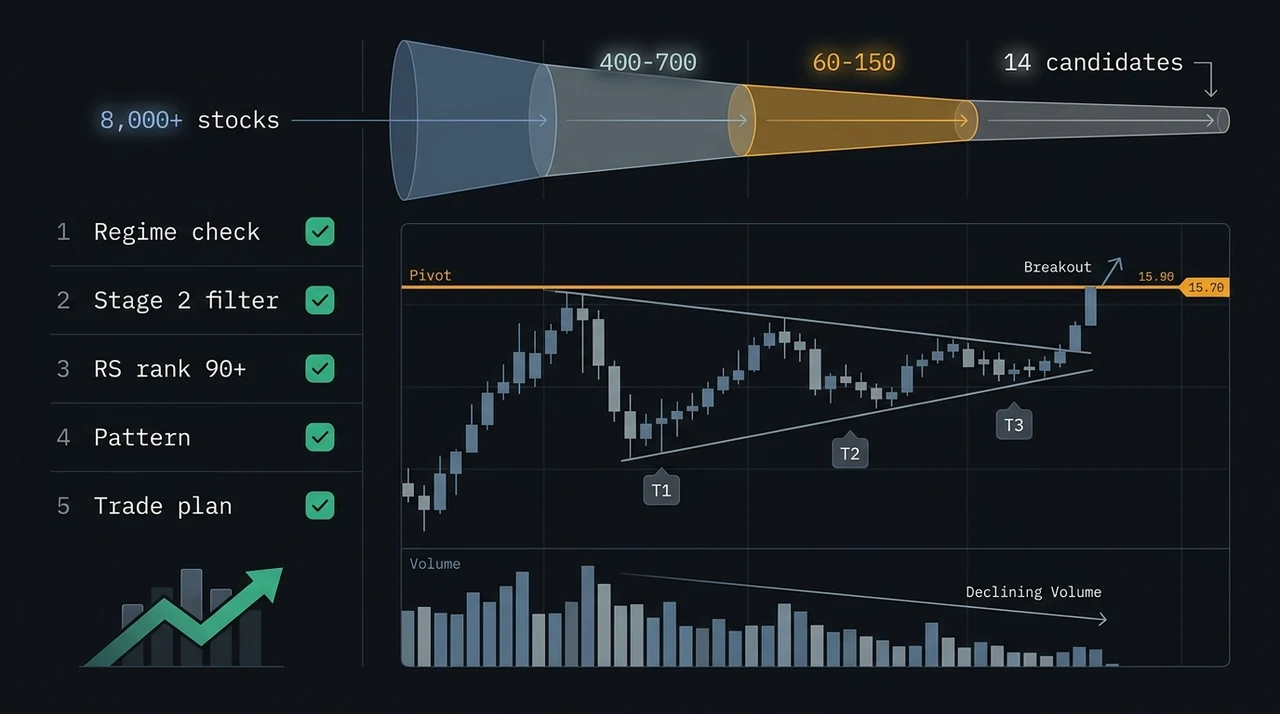
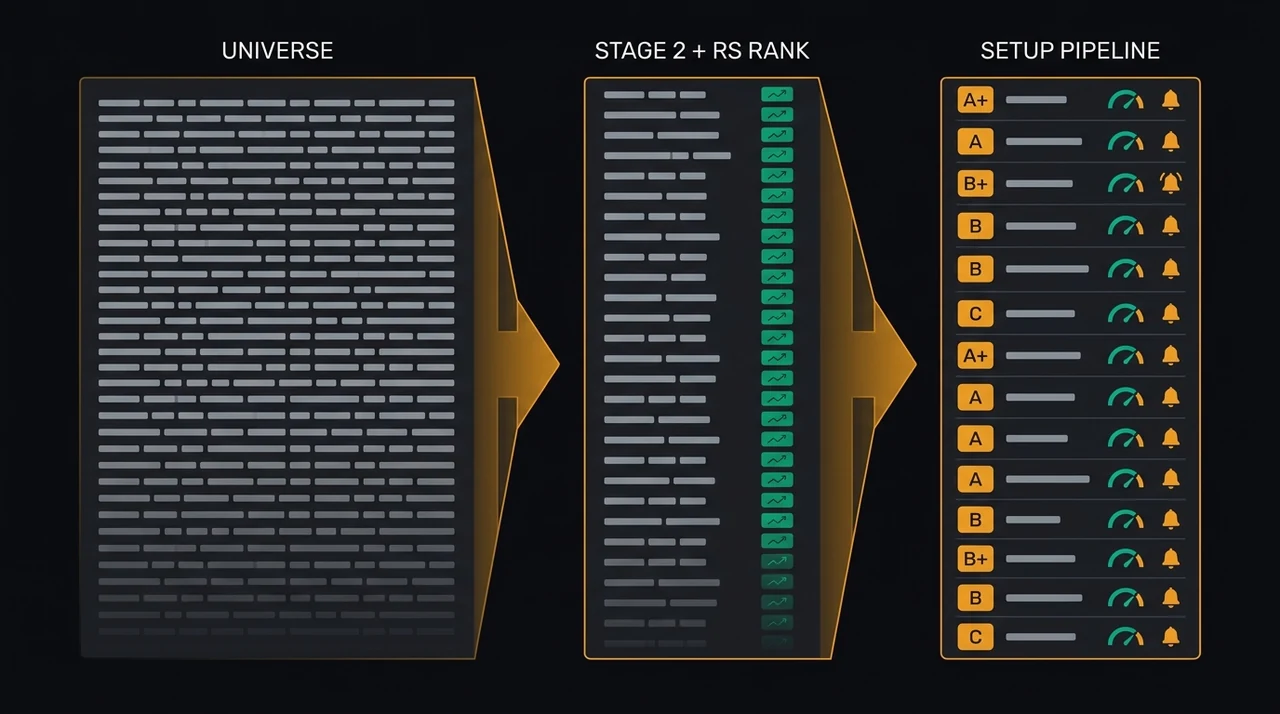
EasySwing.trading's model: You select a strategy, or run all 13 simultaneously. The engine evaluates conditions in sequence: Stage 2 trend structure, RS rank threshold, relative volume confirmation, named pattern formation, and market regime gate. Stocks clearing every layer appear ranked by a 0–100 composite score. Pattern recognition and quality scoring happen inside the engine — you start from a graded list, not from raw filter output.
Mark Minervini states in Think and Trade Like a Champion (2017): "Every minute you spend reviewing a mediocre setup is a minute not spent on an exceptional one. Your job is to reduce your list to only the best candidates." Purpose-built detection handles that reduction automatically — no Pine Script required.
For traders without scripting experience, the gap is significant. A custom TradingView screener approximating VCP conditions requires precise Pine Script logic that most traders cannot write on the first attempt. EasySwing.trading encodes the same multi-condition framework without requiring code. For a breakdown of the technical indicators that feed those conditions, see Best Indicators for Swing Trading: The 5 That Actually Work.
Setup Quality Grading and Pre-Set Risk/Reward
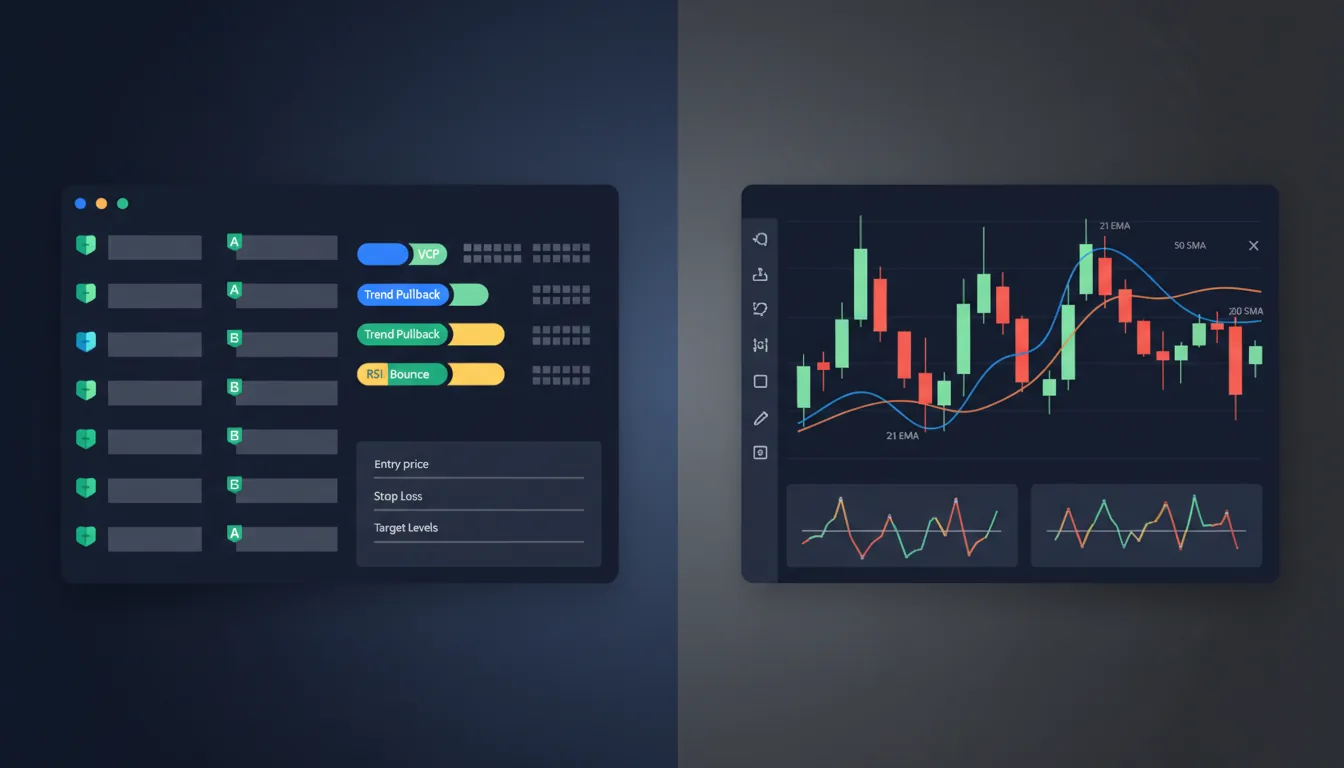
TradingView has no setup quality scoring — every stock clearing your filter criteria ranks identically in the results list. EasySwing.trading assigns each result a letter grade (A+/A/B+/B/C) and a composite score (0–100) weighted across RS rank, momentum, volume confirmation, pattern quality, and regime fit. Every result includes a pre-calculated entry price, stop-loss, and two profit targets.
The grading model weights five dimensions:
| Metric | Weight | What It Measures |
|---|---|---|
| RS rank | 30% | Relative price strength vs. the broad market |
| Momentum score | 25% | Rate of price acceleration over 20 and 60 days |
| Volume confirmation | 20% | Relative volume vs. 50-day average at the trigger |
| Setup quality | 15% | How closely price action matches the pattern definition |
| Regime alignment | 10% | Whether the current market regime supports this strategy |
Every result also carries a pre-calculated entry price, a stop-loss placed below the pattern's defining low, and two targets: Target 1 at 1.5R and Target 2 at 3R. Position sizing is one calculation away from any result.
TradingView does not provide entry, stop, or target levels — the trader builds the risk/reward framework independently from the chart. For traders with a defined methodology for setting entries and stops, this is a manageable workflow step. For traders still developing that methodology, EasySwing.trading's pre-built structure reduces variation across positions.
Market Regime Awareness
TradingView's screener applies no market regime filter — a momentum breakout alert fires with the same frequency in a high-volatility correction as in a confirmed bull run. EasySwing.trading classifies the current market into five regimes and gates every strategy result by regime fit. Market condition changes the output meaningfully.
Without a regime filter, screener results reflect the universe of stocks meeting your conditions regardless of broader market context. In a Trending Down or High Volatility regime, momentum breakout setups have materially lower follow-through probability than in a Trending Up regime — yet TradingView returns the same result count in both conditions.
EasySwing.trading classifies the market into five states — Trending Up, Trending Down, Ranging, High Volatility, and Transitioning — based on index breadth, VIX level, ADX reading, and index price structure. Each strategy is gated against the current regime:
- In Trending Up: VCP, Cup and Handle, and trend pullback setups are promoted
- In Trending Down or High Volatility: short-side strategies are surfaced; long breakout signals carry reduced confidence
This means the same stock can produce different alert behavior depending on market conditions — reflecting the statistical reality that follow-through rates shift across regime states. For a breakdown of the five-regime framework and how to read current market conditions, see Market Regime: How to Read Bull, Bear, and Choppy Markets.
Where TradingView Holds the Advantage
EasySwing.trading does not outperform TradingView across every dimension. TradingView's charting depth, multi-asset coverage, and community features are materially stronger — and relevant to a broader set of trading workflows.
Four areas where TradingView holds a clear advantage:
1. Charting depth. TradingView's charting engine covers multi-timeframe analysis, 100+ built-in technical indicators, drawing tools, replay mode, and the Pine Script ecosystem. For traders whose primary workflow is manual chart review — annotating structure, measuring fibonacci levels, comparing daily and weekly timeframes — TradingView's charting environment is the stronger tool.
2. Multi-asset coverage. TradingView covers equities, ETFs, forex, cryptocurrency, futures, and indices from exchanges worldwide. EasySwing.trading focuses on U.S. equities in the $200M–$20B market cap range. If your trading spans asset classes or includes non-U.S. markets, TradingView serves that breadth.
3. Community and custom scripts. TradingView's Pine Script community has published thousands of custom indicators and screeners — including swing trading screens built by experienced practitioners. For traders willing to evaluate shared scripts and adapt them to their methodology, this extends TradingView's screening capabilities significantly.
4. Free access. TradingView's free plan provides delayed data and basic screener access at no cost. For traders testing a methodology before committing to a subscription, this is a lower-cost entry point than EasySwing.trading's $49/month plan ($39/month with annual prepay).
Who Each Tool Fits
The right screener depends on your workflow. TradingView fits chart-focused traders who review patterns manually, trade multiple asset classes, or have Pine Script skills. EasySwing.trading fits traders who follow Minervini, O'Neil, or Weinstein methodology and want pre-scored setups with regime awareness and pre-calculated risk structures.
TradingView fits swing traders who:
- Do manual chart review and want advanced charting tools alongside screening
- Trade across equities, crypto, forex, or futures — not exclusively U.S. stocks
- Have Pine Script skills and want to build custom detection logic
- Value the community — shared scripts, published analysis, and social features
- Are building a methodology and want free access during the learning phase
EasySwing.trading fits swing traders who:
- Want a ranked list of pre-scored, named setups to start from each session
- Follow Minervini, O'Neil, or Weinstein methodology and want a tool that encodes those criteria
- Prefer regime-aware results over raw filter output
- Want pre-calculated entry, stop, and target levels on every result
- Use strategy-specific alerts encoding the full condition set — see How to Set Up Swing Trading Alerts for the five-condition framework
Some traders use both: TradingView for charting and multi-timeframe analysis on candidate stocks, EasySwing.trading for daily setup scanning, grading, and alert configuration.
EasySwing.trading vs TradingView: Feature Comparison
| Feature | EasySwing.trading | TradingView |
|---|---|---|
| Named setup detection | Yes — 13 strategies | No — filter/indicator-based |
| Setup quality grade | Yes — A+/A/B+/B/C + 0–100 score | No scoring |
| Pre-calculated entry/stop/target | Yes | No — manual |
| Market regime gating | Yes — 5-state engine | No |
| RS rank filter | Yes — built into all strategies | Not natively (requires Pine Script) |
| Custom scripting | No | Yes — Pine Script |
| Charting depth | Basic — daily price chart | Advanced — multi-timeframe, 100+ indicators |
| Multi-asset coverage | U.S. equities only | Stocks, crypto, forex, futures, indices |
| Community scripts | No | Thousands of published scripts |
| Strategy-based alerts | Yes — full multi-condition logic | Indicator/price threshold only |
| Free tier | No | Yes — delayed data |
| Best for | Swing traders (Minervini/O'Neil) | Chart analysts, multi-asset traders |
For more on what a swing-specific screener evaluates before surfacing a result, see Stock Screener for Swing Trading: How to Find High-Probability Setups. If you are comparing multiple screener options, see also EasySwing vs Finviz: Which Screener Fits Swing Traders?.
Screener Selection Checklist
- ✅Use EasySwing.trading if you want setups ranked by quality score before opening a single chart
- ✅Use EasySwing.trading if you follow Minervini, O'Neil, or Weinstein methodology
- ✅Use EasySwing.trading if you want regime-aware alerts that fire in context, not on price alone
- ✅Use TradingView if your primary workflow is manual chart review with advanced drawing tools
- ✅Use TradingView if you trade crypto, forex, or futures alongside equities
- ✅Use TradingView if you want free screening access or have Pine Script skills for custom detectors
- ❌Don't treat any screener result as a trade signal — it is a starting point for your own analysis
- ❌Don't run breakout scans without accounting for the current market regime
Frequently Asked Questions
Is EasySwing.trading better than TradingView for swing trading?
For traders following a named-setup methodology — VCP, trend pullback, Cup and Handle — EasySwing.trading's pre-scored results, regime gating, and pre-calculated risk levels reduce manual work at each step. TradingView is stronger for chart-focused traders who do manual pattern review, trade multiple asset classes, or want Pine Script customization.
Can TradingView detect swing trading setups like VCP?
Not natively. TradingView's screener filters by indicator conditions — RSI, MACD, price relative to MA — but does not detect named setups like VCP by default. Experienced Pine Script users have published custom VCP-detection scripts in the community library, but these require evaluation and do not include quality grading or regime gating.
Does EasySwing.trading replace TradingView for charting?
No. EasySwing.trading's price chart is a daily-bar display for confirming setup structure — not a full charting environment. Traders who do detailed multi-timeframe work before entry typically use EasySwing.trading for initial scanning and grading, then switch to TradingView for chart analysis.
What does EasySwing.trading offer that TradingView does not?
Named setup detection across 13 strategies (see /strategies), a quality grade (A+/A/B+/B/C) and composite score (0–100) for each result, pre-calculated entry/stop/target levels, a five-state regime engine that gates strategy results by market condition, and strategy-specific alerts encoding full multi-condition logic — not just a single indicator threshold.
Can I use TradingView and EasySwing.trading together?
Yes — many traders do. EasySwing.trading handles the daily scan and setup identification step, producing a ranked list of candidates by strategy and grade. TradingView handles chart analysis on that shortlist — multi-timeframe structure review, drawing trend lines, and confirming the setup before entry. The two tools address different steps in the workflow rather than competing for the same one.
EasySwing.trading screens for swing trading setups automatically — detecting 13 named strategies (see /strategies) across the full screened universe with regime gating on every result. For comparisons with other screeners, see EasySwing vs Finviz and EasySwing vs ChartMill. For the thirteen strategies EasySwing detects, see the strategies hub or the Swing Trading Strategies guide. Scan results are for informational purposes only. See our Risk Disclaimer.
Disclaimer: This article is for educational purposes only and does not constitute investment advice. EasySwing is a stock screening tool, not a registered investment advisor. All trading involves risk. Read our full disclaimer →